It forgets everything
A normal AI chat forgets your project the moment you close it. Every time you come back, you start over and re-explain what you already decided.
Tell Tendril what you want in plain words. It plans the work, splits it across several AI workers, and they build different parts at the same time.
A normal AI chat forgets your project the moment you close it. Every time you come back, you start over and re-explain what you already decided.
One long chat thread gives you no real view of progress. You don't know what's working, what's stuck, or what's done until something breaks.
A single AI builds one thing at a time, in one conversation. Big ideas crawl, and you babysit every step.
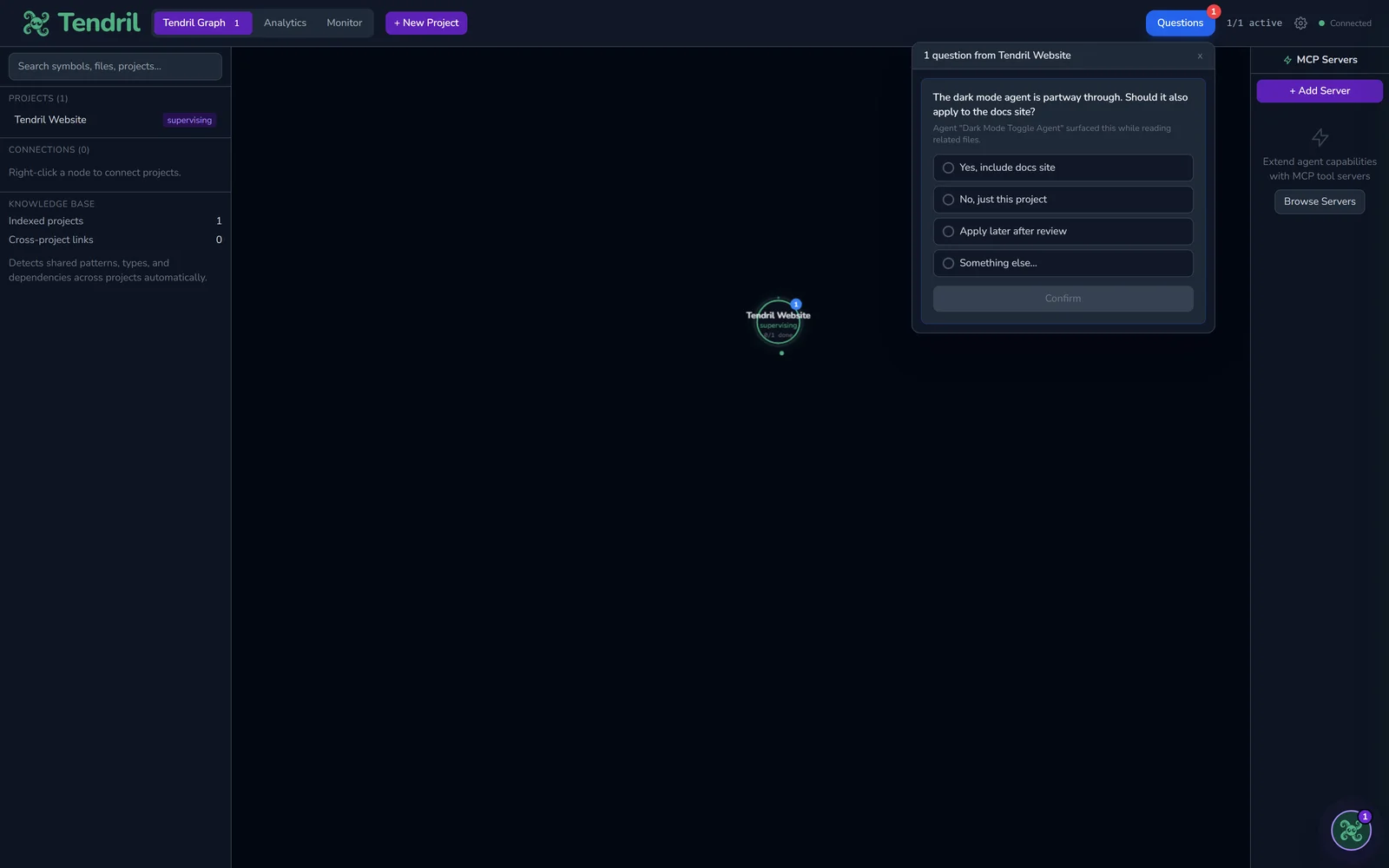
This is the big one. Tendril carries the decisions, conventions, and clever bits from your past projects into the one you're building now. The more you make, the smarter it gets. You stop repeating yourself.
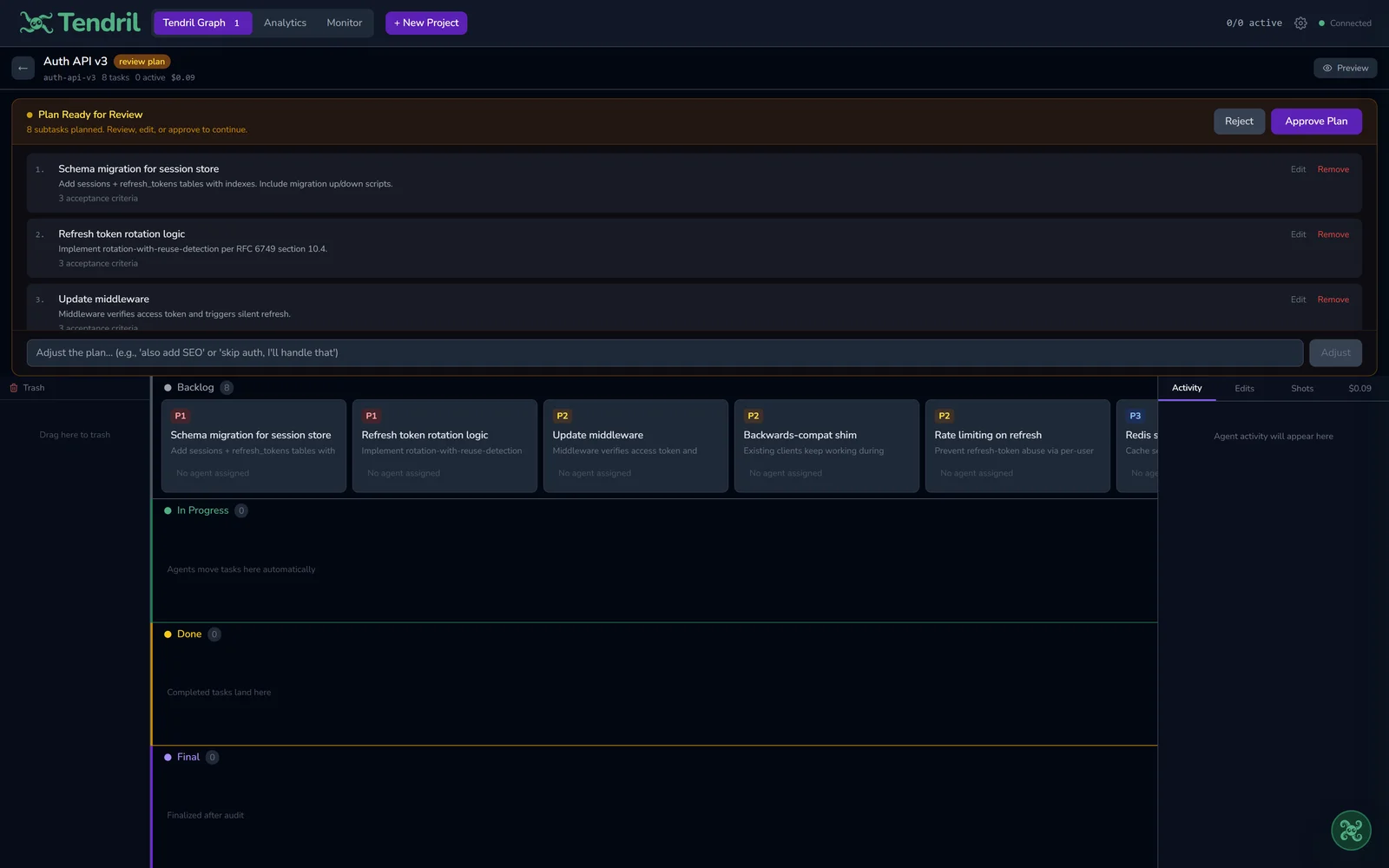
Every piece of work is a card on a visual board. You watch what's in progress, what's waiting, and what's finished, all in real time. No more guessing inside a chat.
Instead of one AI plodding along, Tendril runs a team in parallel. Each worker builds a different part at the same time, each in its own safe workspace so they never trip over each other.
Describe your idea in plain language. Tendril already knows the patterns from your other projects, so it starts smart.
Tendril breaks your idea into clear tasks and lays them out as cards on the board. Want to reorder or drop something? Do it before anyone starts.
Several AI workers build different parts at the same time, each in its own safe workspace. Cards move across the board as they go, so you can watch it happen.
Before anything is called done, Tendril reviews what was built and fixes the issues it can. You see a quality score on each card.
Your app runs right inside Tendril. Circle anything that looks off, type one sentence, and it turns into a fix on the board.
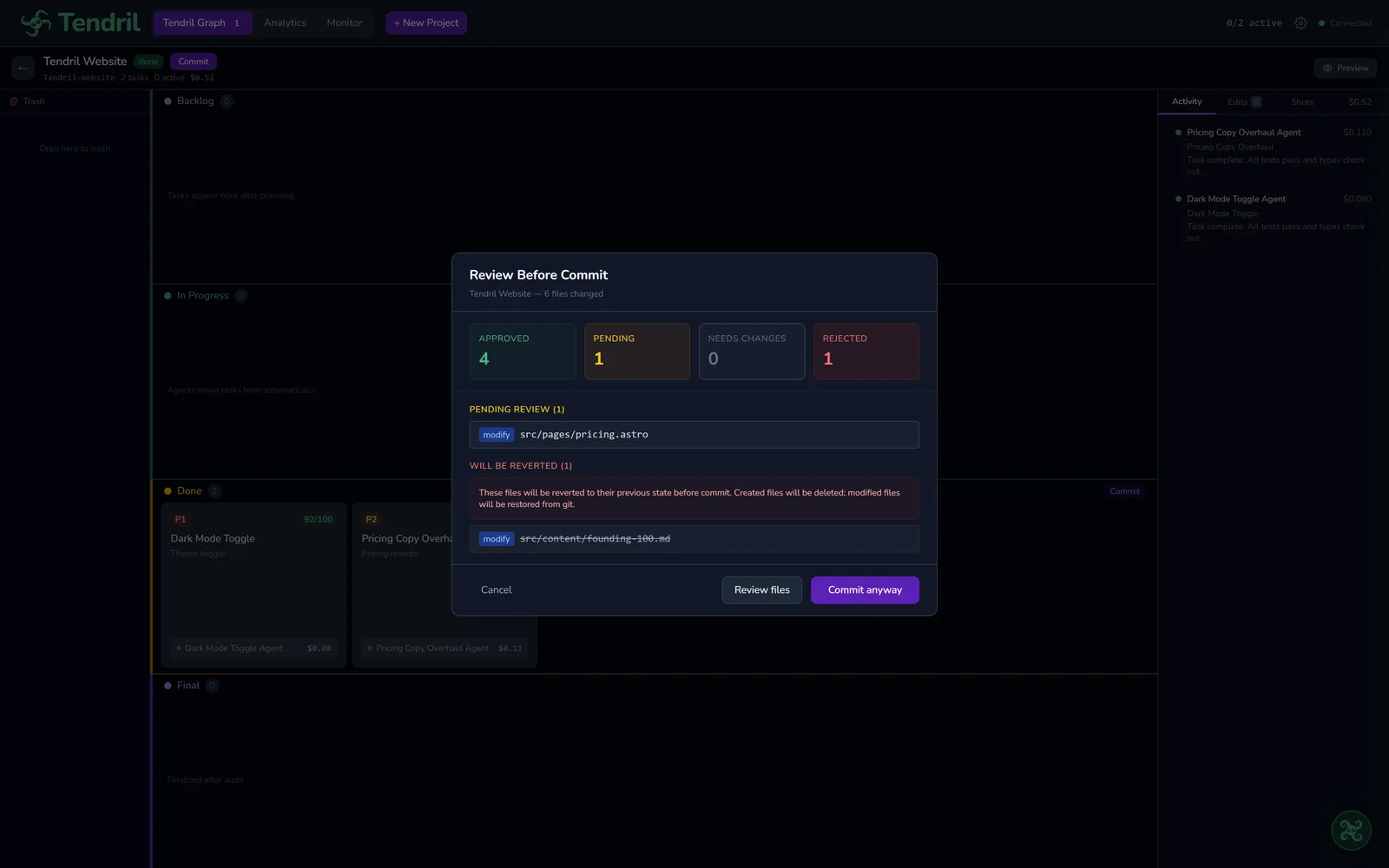
Nothing touches your project until you give the thumbs up. Each change comes with a plain summary of what it does and why. Approve, and it's in.
After building, Tendril scores every piece and fixes what it can, then does one final senior-level pass over the whole project. You get something that actually runs, not a pile to debug.
Before anything is saved to your project, you see a clear summary of what changed and why. Nothing lands without your okay. You're always in control.
Every AI worker runs in a safe, walled-off workspace. Genuinely risky moves, like deleting things it shouldn't or touching your private secret files, are blocked automatically. So you get speed without handing over the keys.
Download Tendril free and start building today. Sign in with the AI you already pay for, or bring your own key. Your projects stay on your computer.